Creating content for multiple platforms is exhausting. You write an Instagram caption, then a LinkedIn post, then a Twitter thread, then a blog post — all about the same topic, but each requiring a different format, tone, and structure.
This fragmentation is why most solo creators burn out. They're not creating too much content — they're distributing it inefficiently.
The solution is a repeatable content workflow: one that lets you plan once, create once, and publish across every platform without starting from scratch each time. Here's how to build one.
The Core Problem: One-to-One Content Creation
Most creators operate on a one-to-one model: one idea → one piece of content → one platform. This means:
- 5 platforms × 3 posts/week = 15 pieces of content
- Each piece takes 30-60 minutes to create
- Total: 7.5-15 hours per week just on content creation
This doesn't scale. The fix is moving to a one-to-many model: one pillar piece of content → repurposed into multiple platform-specific formats.
The Pillar Content Strategy
Everything starts with one piece of pillar content — a substantial, high-value piece that can be broken down into smaller pieces.
Types of Pillar Content
| Format | Time to Create | Repurposes Into | |--------|--------------|----------------| | YouTube video (10-20 min) | 2-4 hours | 5-7 clips, blog post, 5+ social posts | | Blog post (1500-2000 words) | 2-3 hours | 5 social posts, thread, carousel | | Podcast episode (30-45 min) | 1-2 hours | Blog post, 10+ quotes, clips | | Live stream (30-60 min) | 1 hour | Clips, blog, social posts |
Choose one pillar format that plays to your strengths and commit to it weekly.
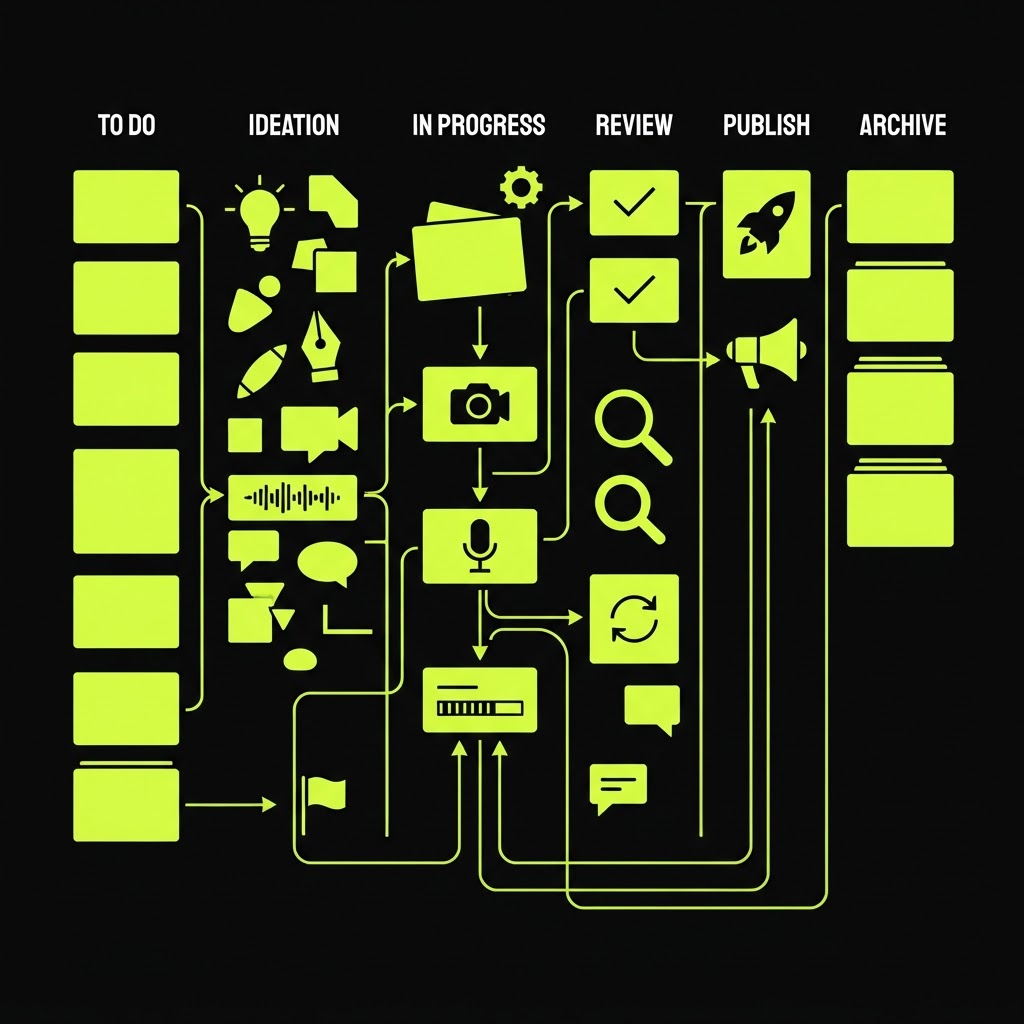
The 3-Phase Workflow: Plan → Create → Repurpose
Phase 1: Plan (1 hour/week)
Batch your planning into one focused session. This is where AI can save you significant time.
Weekly planning checklist:
- Review last week's analytics — what performed best?
- Identify 1 trending topic in your niche
- Choose your pillar content topic for the week
- Outline 3-5 key points for your pillar content
- List 5 supporting social post ideas
- Schedule all content in your calendar
💡 Use AI to speed up planning. Ask it to generate content ideas, outlines, and hooks based on your niche. Kitzio's AI tools can do this in seconds.
Phase 2: Create (2-4 hours/week)
Create your pillar content in one focused session. This is deep work — no distractions, no multitasking.
Creation rules:
- Batch similar tasks — Record all video segments at once, write all copy at once
- Don't edit while creating — Get the first draft done, then edit
- Use templates — Have templates for blog posts, video scripts, and social captions
- Set a time limit — 2-4 hours max for pillar content, no perfectionism
Your weekly creation output:
- 1 pillar piece (video, blog, or podcast)
- 5 supporting social posts
- 1 email newsletter
Phase 3: Repurpose (1-2 hours/week)
This is where leverage happens. Take your pillar content and break it into platform-specific pieces.
The repurposing matrix:
If your pillar is a blog post:
- Extract 3-5 key quotes → Twitter/X posts
- Turn the main points into a carousel → Instagram
- Rewrite in professional tone → LinkedIn article
- Summarize into a thread → X/Twitter
- Turn into an email → Newsletter
- Create quote graphics → Instagram stories
If your pillar is a video:
- AI transcribe → Blog post
- Extract 5 best clips → Reels/TikTok/Shorts
- Pull key quotes → Social graphics
- Summarize main points → Twitter thread
- Turn into a carousel → Instagram
- Send summary → Email newsletter
If your pillar is a podcast:
- AI transcribe → Blog post
- Extract 10 key quotes → Social graphics
- Clip best moments → Short video
- Summarize → Twitter thread
- Highlight reels → Instagram stories
Platform-Specific Adaptation Guidelines
Each platform has different expectations. Here's how to adapt your content:
- Format: Carousels, Reels, single images
- Tone: Visual, aspirational, behind-the-scenes
- Length: Short captions (125-150 chars visible before "more")
- Adaptation: Turn blog sections into carousel slides
- Format: Text posts, articles, carousels
- Tone: Professional, insight-driven, story-based
- Length: 1300+ characters for posts
- Adaptation: Rewrite in professional tone, add personal story
X (Twitter)
- Format: Threads, single posts
- Tone: Punchy, opinionated, conversational
- Length: 280 chars per post
- Adaptation: Split blog into thread format
YouTube
- Format: Long-form video, Shorts
- Tone: Educational, entertaining, personal
- Length: 8-15 minutes for standard videos
- Adaptation: Turn blog into video script
TikTok
- Format: Short video (15-60 seconds)
- Tone: Casual, trending, authentic
- Length: Under 60 seconds
- Adaptation: Extract single tips from pillar content
The Weekly Workflow Calendar
Here's a realistic weekly schedule for a solo creator:
| Day | Activity | Time | |-----|----------|------| | Monday | Plan content for the week | 1 hour | | Tuesday | Create pillar content | 2-4 hours | | Wednesday | Repurpose into social posts | 1-2 hours | | Thursday | Schedule all content | 30 min | | Friday | Engage with community | 1 hour | | Saturday | Review analytics | 30 min | | Sunday | Rest | 0 |
Total: 6-9 hours per week for content across 5+ platforms.
Tools for an Efficient Workflow
Planning & Ideation
- Kitzio AI — Content ideas, outlines, hooks (free)
- Content calendar — Notion, Trello, or Kitzio's built-in tools
Creation
- For video: Your phone or a simple camera setup
- For writing: Any text editor or Kitzio's AI copywriter
- For design: Canva or similar tools
Repurposing
- AI transcription — Convert audio/video to text
- AI clip extraction — Find the best moments automatically
- Design templates — Reusable formats for each platform
Scheduling & Analytics
- Social media scheduler — Buffer, Later, or similar
- Kitzio analytics — Track store traffic and conversions (included)
Learn more about automating your full workflow in our content automation guide.
Common Workflow Mistakes
1. Creating Without Planning
If you sit down to create without a plan, you'll waste 30+ minutes deciding what to make. Always plan first.
2. Not Repurposing
If you're creating unique content for every platform, you're working 5x harder than necessary. One pillar piece → many platform versions.
3. Editing While Creating
Switching between creating and editing breaks your flow. Create first, edit later.
4. Inconsistent Scheduling
Posting 5 times one week and zero the next kills momentum. Consistency beats volume.
5. Ignoring Analytics
If you don't track what works, you can't improve. Review analytics weekly and adjust.
Scaling Your Workflow
Once your weekly workflow is running smoothly, here's how to scale:
- Increase pillar content frequency — From weekly to 2x/week
- Add new platforms — Expand from 3 to 5 platforms
- Hire a VA — Delegate scheduling and basic editing
- Use more AI — Automate ideation, caption writing, and analytics
- Build templates — Create reusable templates for every content type
FAQ
Q: What if I can only create content 1-2 days per week? A: That's perfect. Batch creation on 1-2 days and schedule everything for the week. Most successful creators batch their content creation.
Q: Which platform should I start with? A: Start with the platform where your audience already is. Then add one platform at a time. Don't try to be everywhere at once.
Q: How do I know if my workflow is efficient? A: Track your time for 2 weeks. If you're spending more than 10 hours/week on content across 3+ platforms, you need to optimize your repurposing.
Q: Can AI replace my content creation entirely? A: No — AI should assist with planning, repurposing, and optimization. Your unique perspective and personality should always be the core of your content. Read our guide on using AI for social media growth for the full framework.
Ready to streamline your content workflow? Start free with Kitzio and get AI tools, content planning, and analytics built in. Explore our pricing plans for advanced features.