Why Coaches Should Sell Digital Products
As a coach, your income is often tied to your time. You can only coach so many clients in a week. Digital products change that.
Digital products — courses, ebooks, templates, worksheets — let you earn without trading time for money. You create them once and sell them infinitely.
This guide shows how coaches can add digital products to their business and sell everything from one platform.
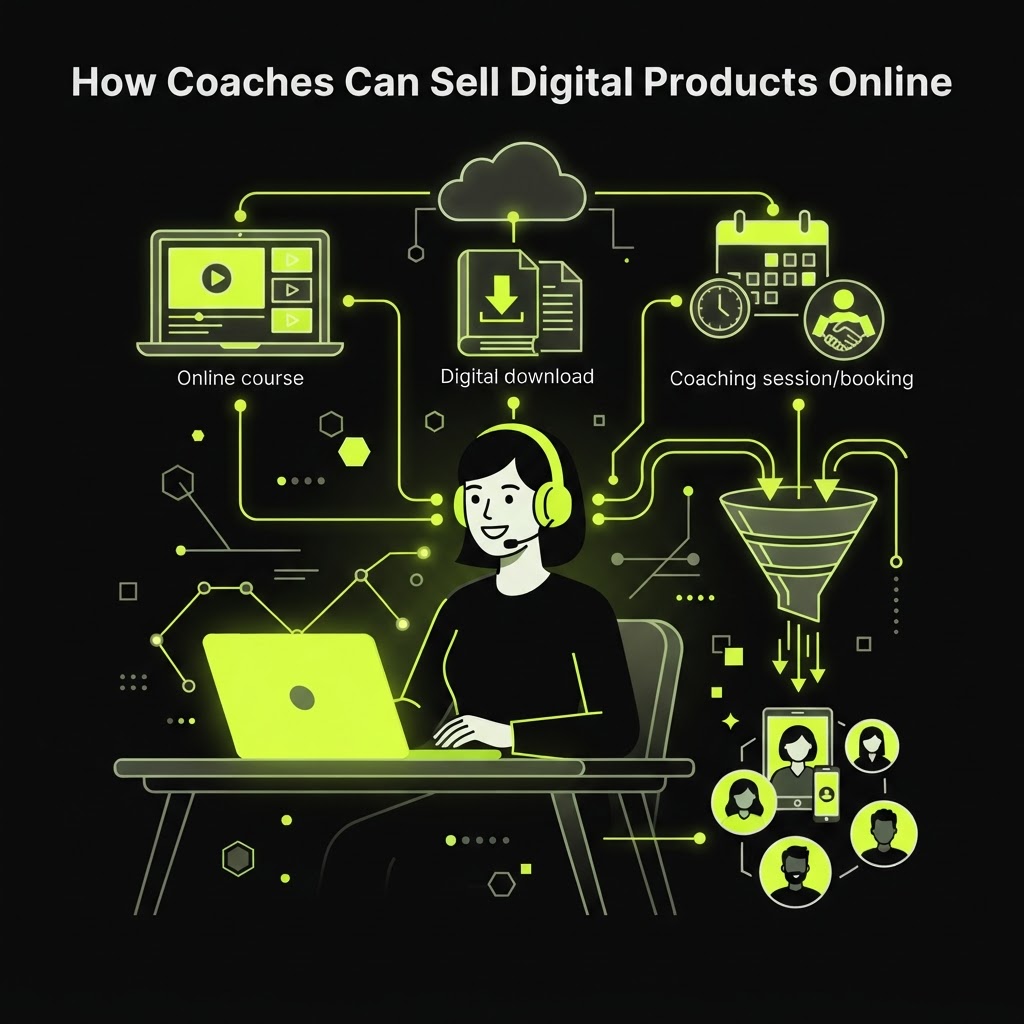
What Coaches Can Sell Online
Digital Products
- Workbooks and worksheets: Supplement your coaching with structured exercises
- Ebooks and guides: Package your methodology into a downloadable resource
- Templates: Frameworks, spreadsheets, and tools your clients can use
- Video tutorials: Pre-recorded lessons on specific topics
Courses
- Self-paced courses: Pre-recorded lessons that clients can take anytime
- Group programs: Cohort-based courses with live or pre-recorded sessions
- Mini-courses: Short, focused courses on a specific topic
Bookings
- 1:1 coaching sessions: Paid individual sessions
- Group coaching: Paid group sessions
- Consultations: Strategy sessions or audits
- Discovery calls: Free introductory calls
Kitzio for coaches includes all of these — digital products, courses, bookings, email, and client CRM in one platform.
Step 1: Choose Your Platform
As a coach, you need a platform that handles:
- Digital product sales: Sell workbooks, ebooks, and templates
- Course creation: Build and sell online courses
- Bookings: Accept paid 1:1 and group sessions
- Email marketing: Nurture leads and clients
- Client CRM: Track who booked what and how much they've spent
- Payments: Accept payments through Stripe
Platform Options
- Kitzio: All-in-one with digital products, courses, bookings, email, and CRM
- Calendly + Teachable + Mailchimp: Stitch together separate tools (more expensive, more work)
- Gumroad + Calendly: Digital products + bookings (no courses or email)
For most coaches, an all-in-one platform like Kitzio is simpler and cheaper than stitching together 3+ separate tools.
See how Kitzio compares to Calendly, Teachable, and Mailchimp.
Step 2: Create Your Digital Products
Start with what you already know:
Workbook or Worksheet
- Take the exercises and frameworks you use in your coaching.
- Format them into a downloadable PDF.
- Add instructions and examples.
- Price it at $15–$49.
Self-Paced Course
- Outline 5–10 lessons based on your coaching methodology.
- Record videos — your phone or screen recording software works fine.
- Write supplementary content for each lesson.
- Price it at $49–$199.
Template or Framework
- Take a framework or tool you use with clients.
- Build it in Notion, Excel, or Google Sheets.
- Add instructions or a video walkthrough.
- Price it at $15–$49.
Want a done-for-you product? Kitzio Money Kits come with a product idea, funnel, and marketing copy.
Step 3: Set Up Your Booking System
If you offer 1:1 or group coaching, you need a booking system:
- Set your availability: Working hours, days, and buffer time.
- Set your prices: Per session or per package.
- Sync your calendar: Prevent double-booking with Google Calendar sync.
- Accept payments: Clients book and pay in one flow.
Kitzio's booking system includes all of this — no separate Calendly subscription needed.
Step 4: Build Your Storefront
Your storefront should showcase:
- Your coaching services: 1:1 sessions, group programs
- Your digital products: Workbooks, courses, templates
- Your bio and credentials: Why clients should trust you
- Testimonials: Social proof from happy clients
- Email capture: For visitors who aren't ready to buy yet
With Kitzio, you can build your storefront in minutes using the AI Store Builder.
Step 5: Set Up Email Marketing
Email is one of the highest-converting channels for coaches:
- Welcome sequence: Introduce yourself and your services to new subscribers.
- Lead nurture: Send valuable content that builds trust.
- Launch sequence: Promote new courses or programs.
- Client onboarding: Welcome new clients and set expectations.
Kitzio includes email marketing and automated sequences — no separate Mailchimp subscription needed.
Step 6: Drive Traffic and Get Clients
- Social media: Share coaching tips and link to your storefront.
- Content marketing: Write or speak about your expertise.
- Free lead magnet: Offer a free resource to build your email list.
- Referrals: Ask happy clients to refer others.
- Affiliates: Let others promote your products for a commission.
Kitzio includes an affiliate program and email marketing built in.
Step 7: Track Everything
As a coach, you need to know:
- Who booked what: Track every client's sessions and purchases.
- How much each client spent: Identify your best clients.
- Which products sell best: Double down on what works.
- Your revenue trends: Track growth over time.
Kitzio's client CRM tracks all of this automatically.
The Coach's Tech Stack: All-in-One vs. Separate Tools
Separate Tools (Traditional)
- Calendly: $10–$20/month for bookings
- Teachable: $39–$99/month for courses
- Mailchimp: $13–$50+/month for email
- Gumroad: 10% fee for digital products
- Google Analytics: Free but requires setup
Total: $62–$169+/month + fees
All-in-One (Kitzio)
- Kitzio Pro: $29/month
- 0% platform fees
- All features included
Total: $29/month
See how much you could save with the Kitzio savings calculator.
Ready to Sell Your Coaching Products and Services?
If you're ready to sell coaching sessions, courses, and digital products from one platform — without stitching together 5 separate tools — Kitzio is built for coaches.
Build your Kitzio store and start selling today. No credit card required.
FAQ
Can I replace Calendly with Kitzio?
Yes. Kitzio includes a full booking system with availability settings, working hours, buffer time, and Google Calendar sync. Clients book and pay in one flow.
Can I sell both coaching sessions and courses?
Absolutely. Many coaches sell a mix of 1:1 sessions, group programs, and self-paced courses — all from the same Kitzio storefront.
How do clients pay for sessions?
Clients pay through Stripe checkout when they book. You set the price per session or program. Payments go directly to your Stripe account.
Can I offer a free consultation?
Yes. Create a booking product with a $0 price. The client books a time slot without paying, and you can upsell paid services during the call.